Active
Task Manager for Mac v0.1.3
Just for me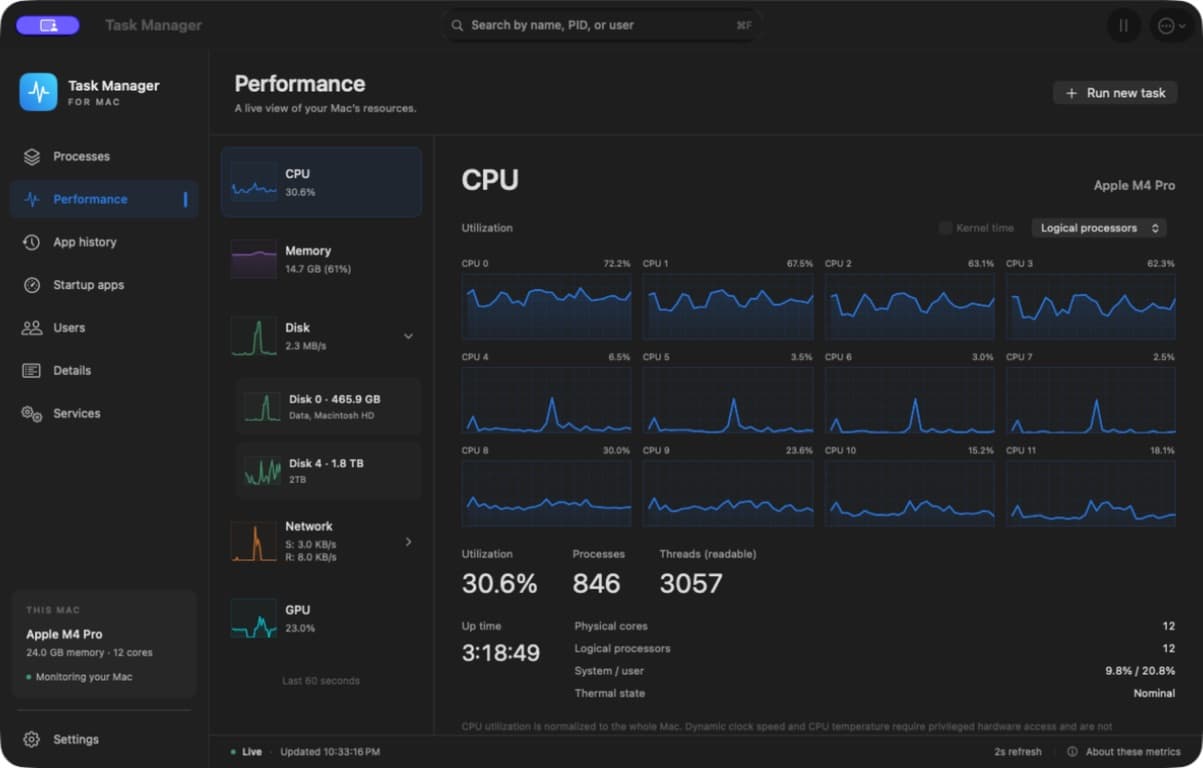
What it is
Task Manager for Mac brings the layout I like from Windows 11 Task Manager to a native Mac app. It shows what is running, what is using resources, and what is happening across the machine, all from one familiar sidebar.
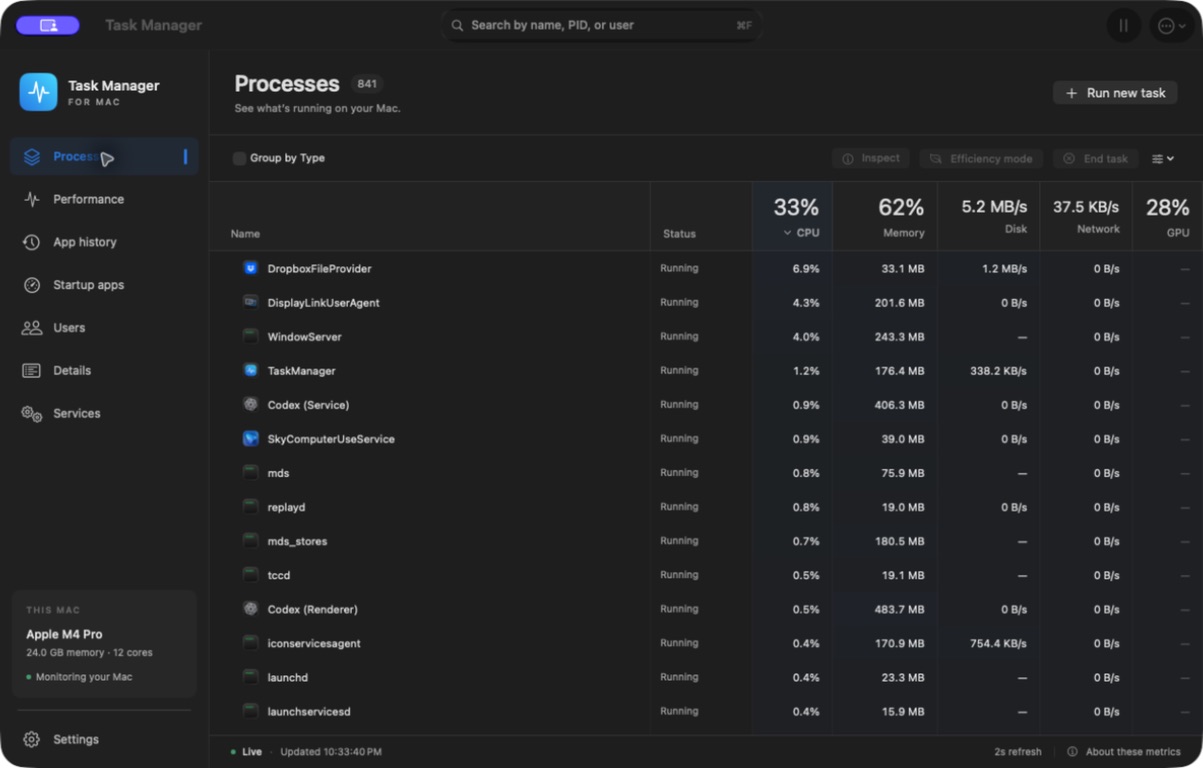
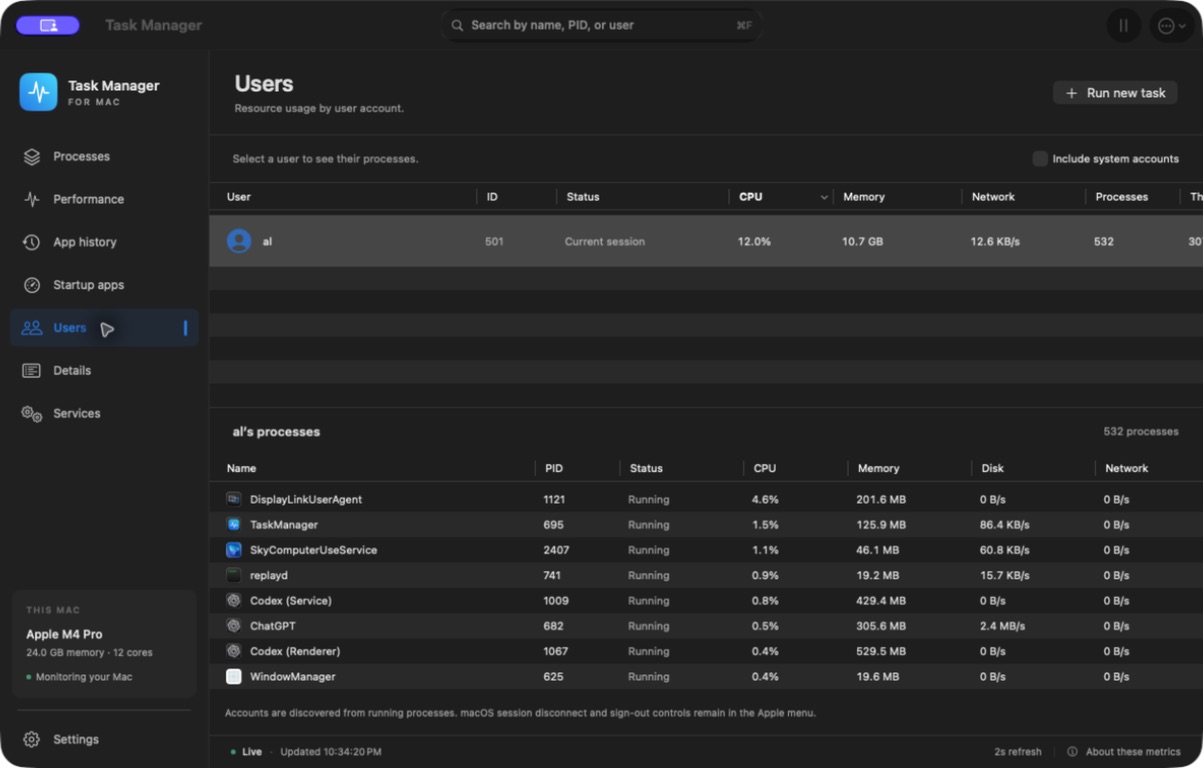
The Performance page has live CPU graphs, including individual cores, memory pressure and swap, disk activity, network traffic, and supported GPU measurements. Disk and Network expand to show individual drives and adapters, or collapse into a combined overview. Processes can stay in one sortable list or use the optional Group by Type view.
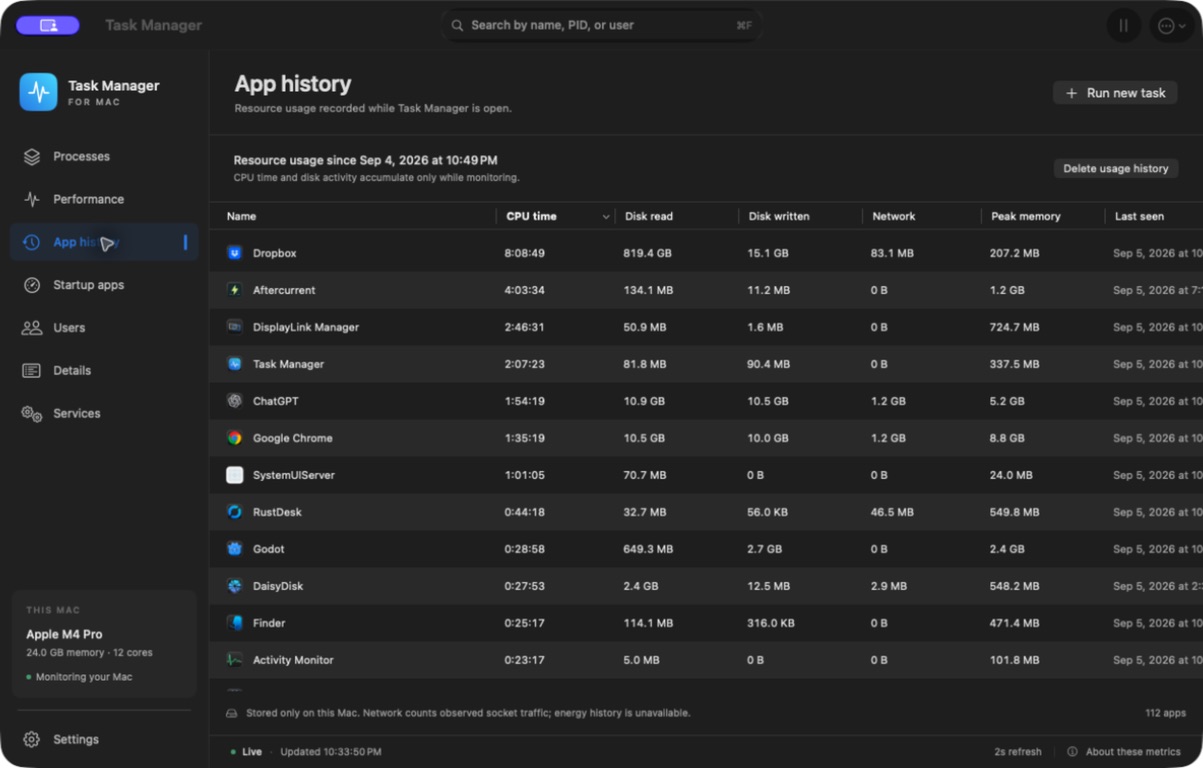
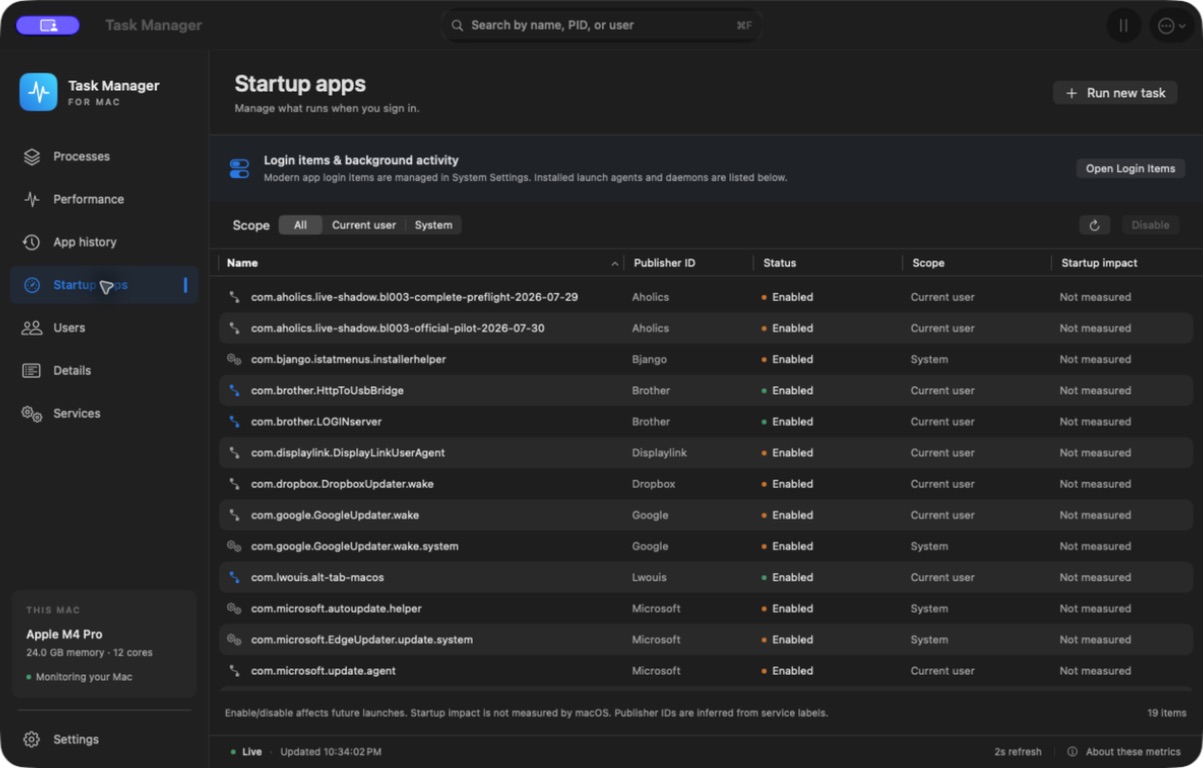
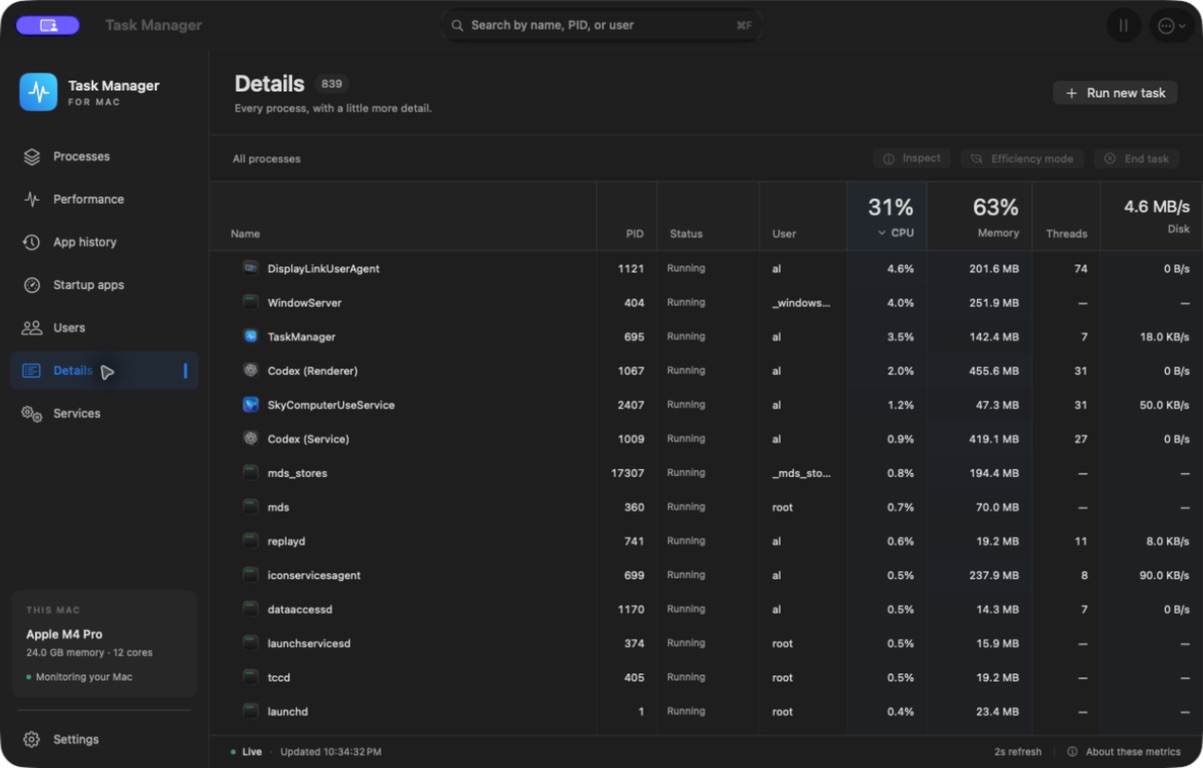
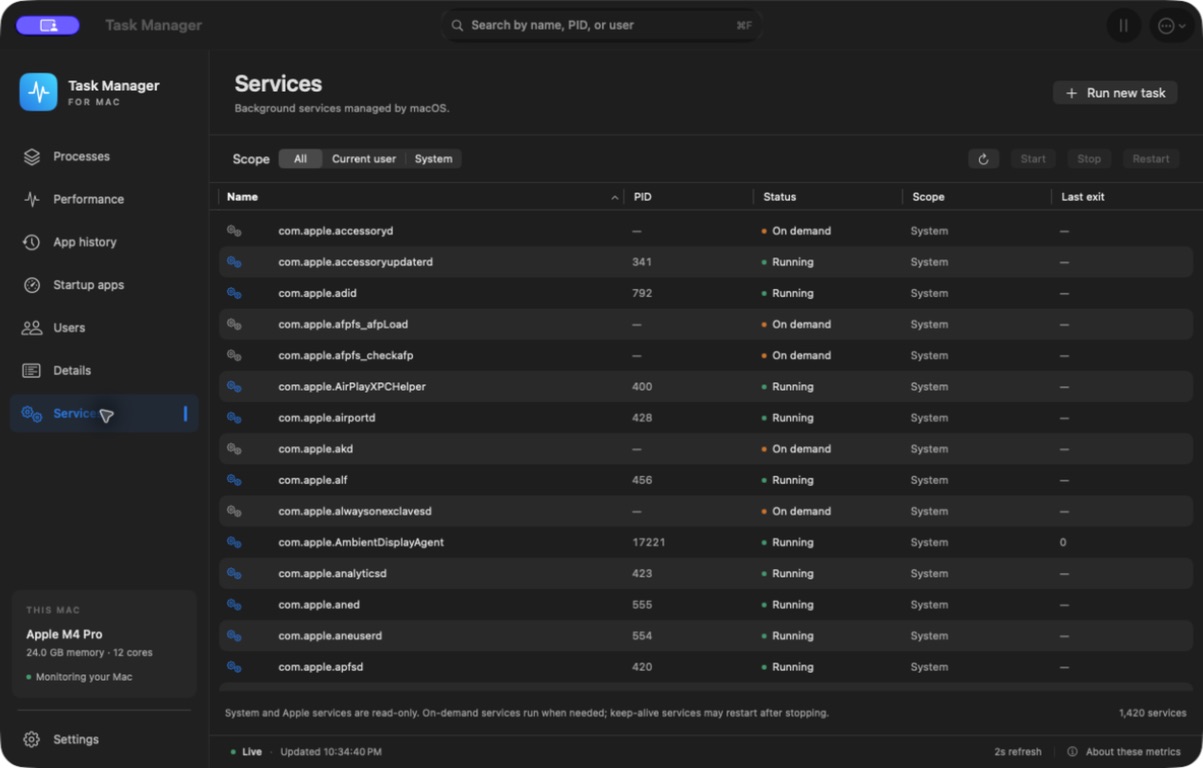
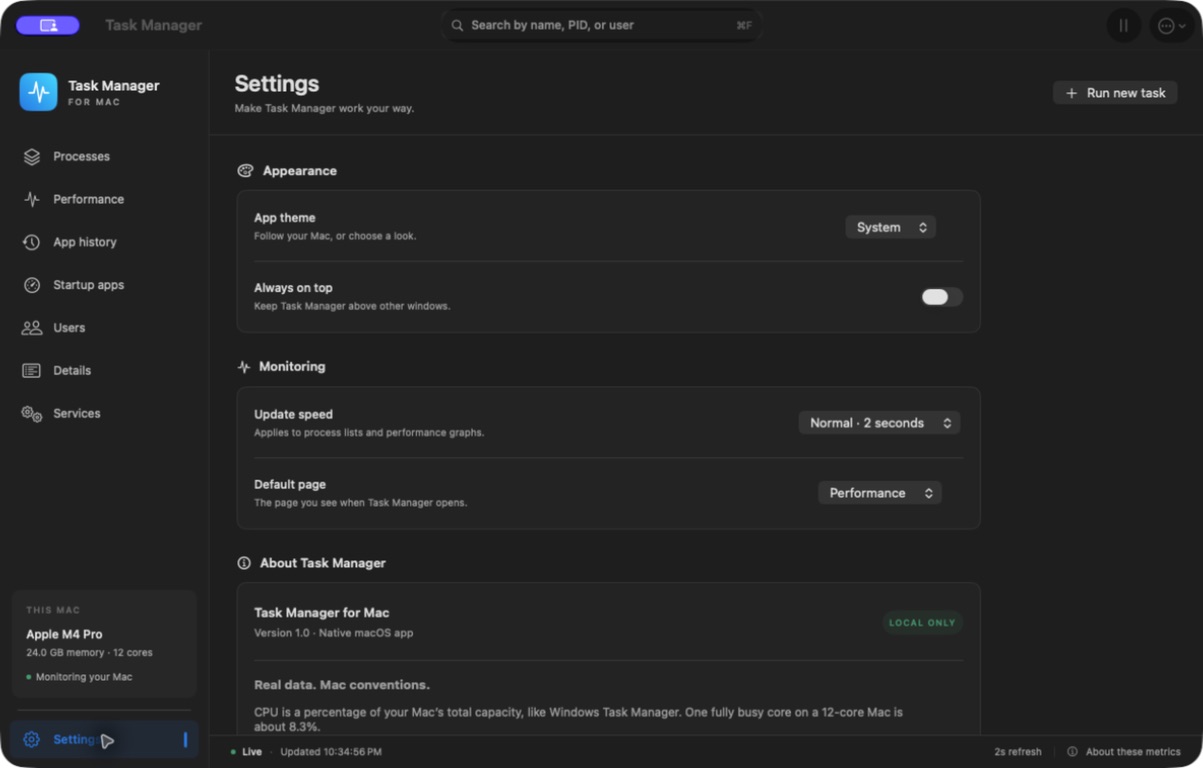
There are also dedicated pages for App history, Startup apps, Users, Details, and Services, plus search, process inspection, task controls, CSV export, and appearance settings. Everything runs locally. Metrics macOS does not expose are marked unavailable rather than filled in with guesses.
This is the Apple Silicon app I am running on my own Mac. It is still just for me; there is no public download or App Store release yet.
Task Manager for Mac 7
Why it exists
I wanted the organization and depth of Windows Task Manager on my Mac, with the feel of a Mac product. The request was straightforward: keep the useful layouts, keep the important details, and give me something local I could actually run.
The first build did that. Once I started using it, the next improvements were obvious: let me turn grouping off, and let me look at each disk and network connection separately. Those changes are now part of the app.
Details
- Stage
- Just for me
- Version
- v0.1.3
- Started
- Sep 4, 2026
- Updated
- Sep 4, 2026
Status
- Just for me, reached
- You can try it, not reached
- Live product, not reached
Built for my own use. Readable, but not available to try.
Working and available, some rough edges possible.
Supported, maintained, and safe to depend on.